Frontend Deployment
1. Push Code to GitHub
Since you are using code cloned from the original repository (without push permissions), you need to create your own repository on GitHub so that AWS Amplify can connect and automatically fetch the code.
Note: To ensure security best practices, the system is pre-configured with a .gitignore file to absolutely prevent pushing sensitive configuration parameters to GitHub.
- Go to GitHub, log in, and create a New repository with any name (e.g.,
my-qr-attendance). Note: Do not check the boxes to add a README or .gitignore file.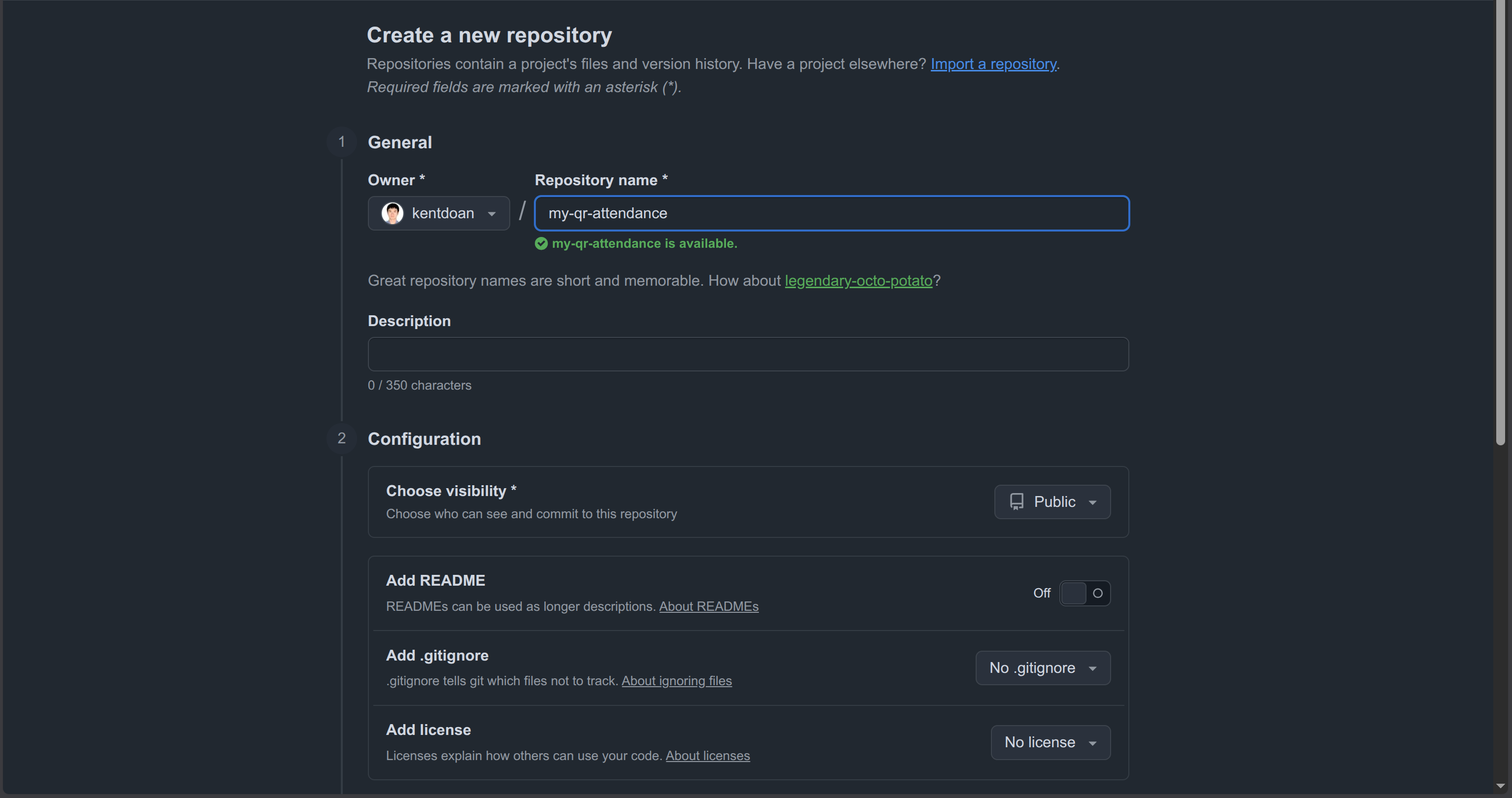
- After creating the repository, copy its URL.
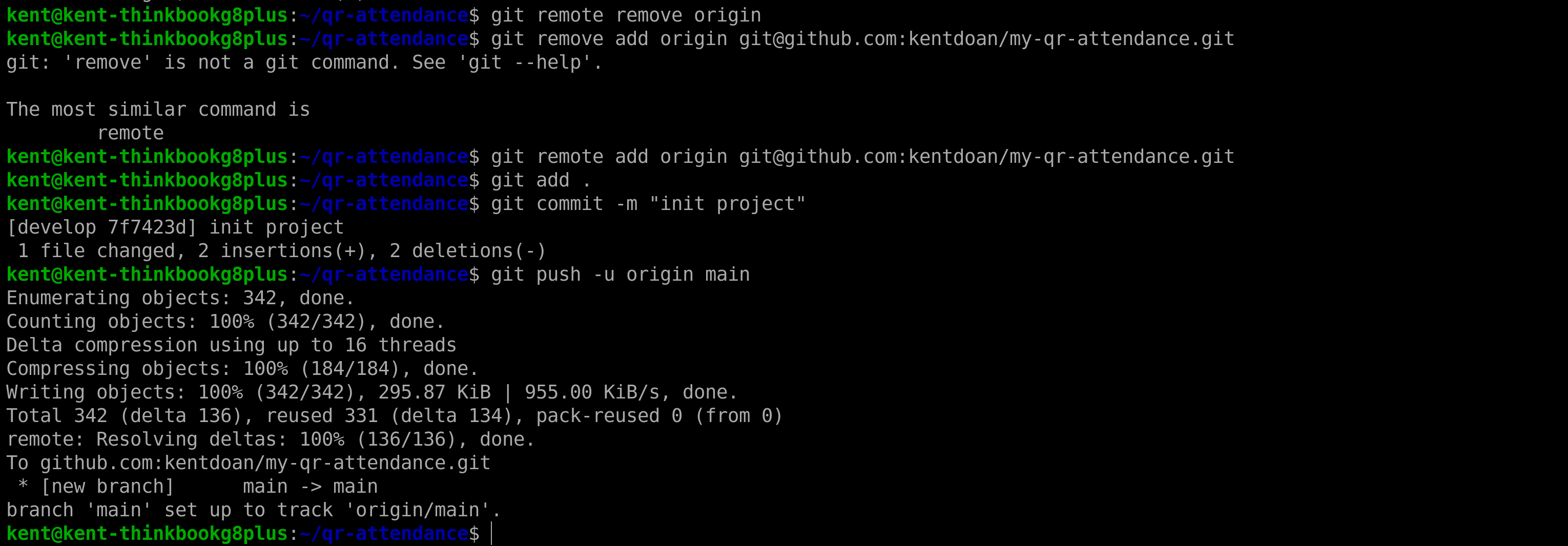
- Open the Terminal, step back to the project root directory (
qr-attendance), and reconfigure the git remote URL (note: the URL in the image might differ because the person in the image configured Git using SSH instead of HTTP):
cd ..
git remote remove origin
git remote add origin <Your-GitHub-Repo-URL>
git add .
git commit -m "init project"
git push -u origin main
2. Deploy to AWS Amplify Hosting (CI/CD)
To make the system accessible from the internet, we will host the Frontend on AWS Amplify.
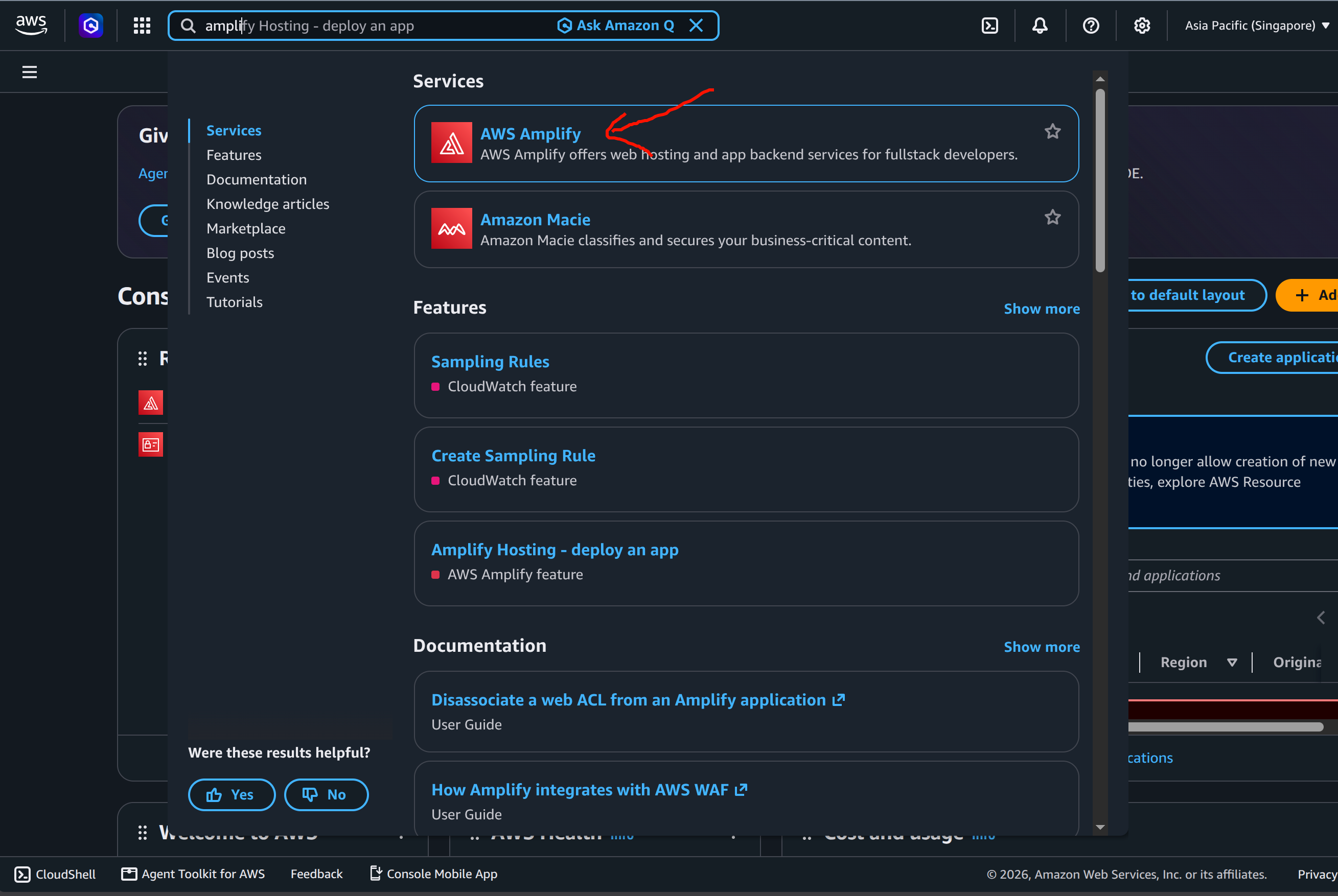
- Open the AWS Console and search for AWS Amplify.
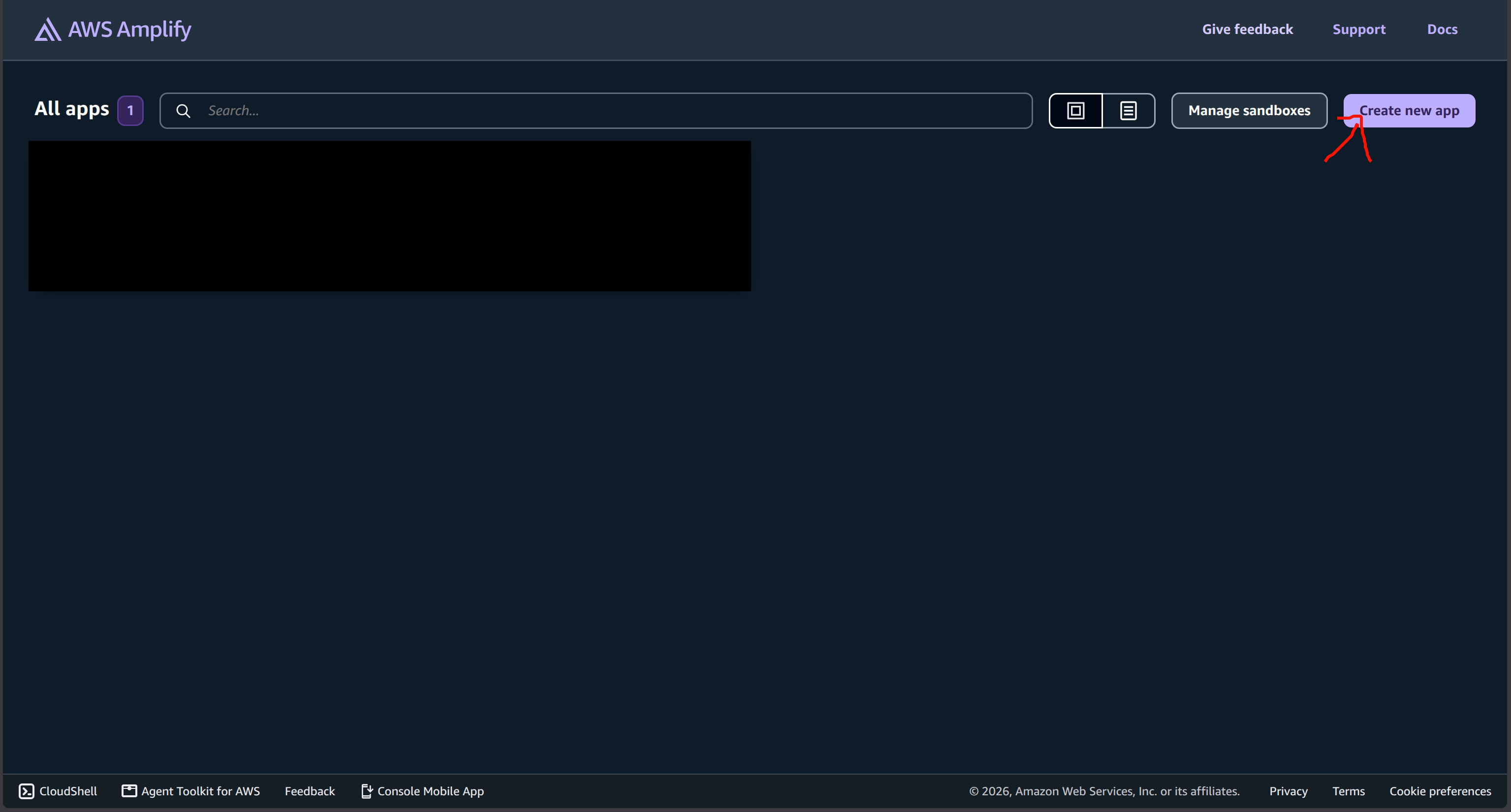
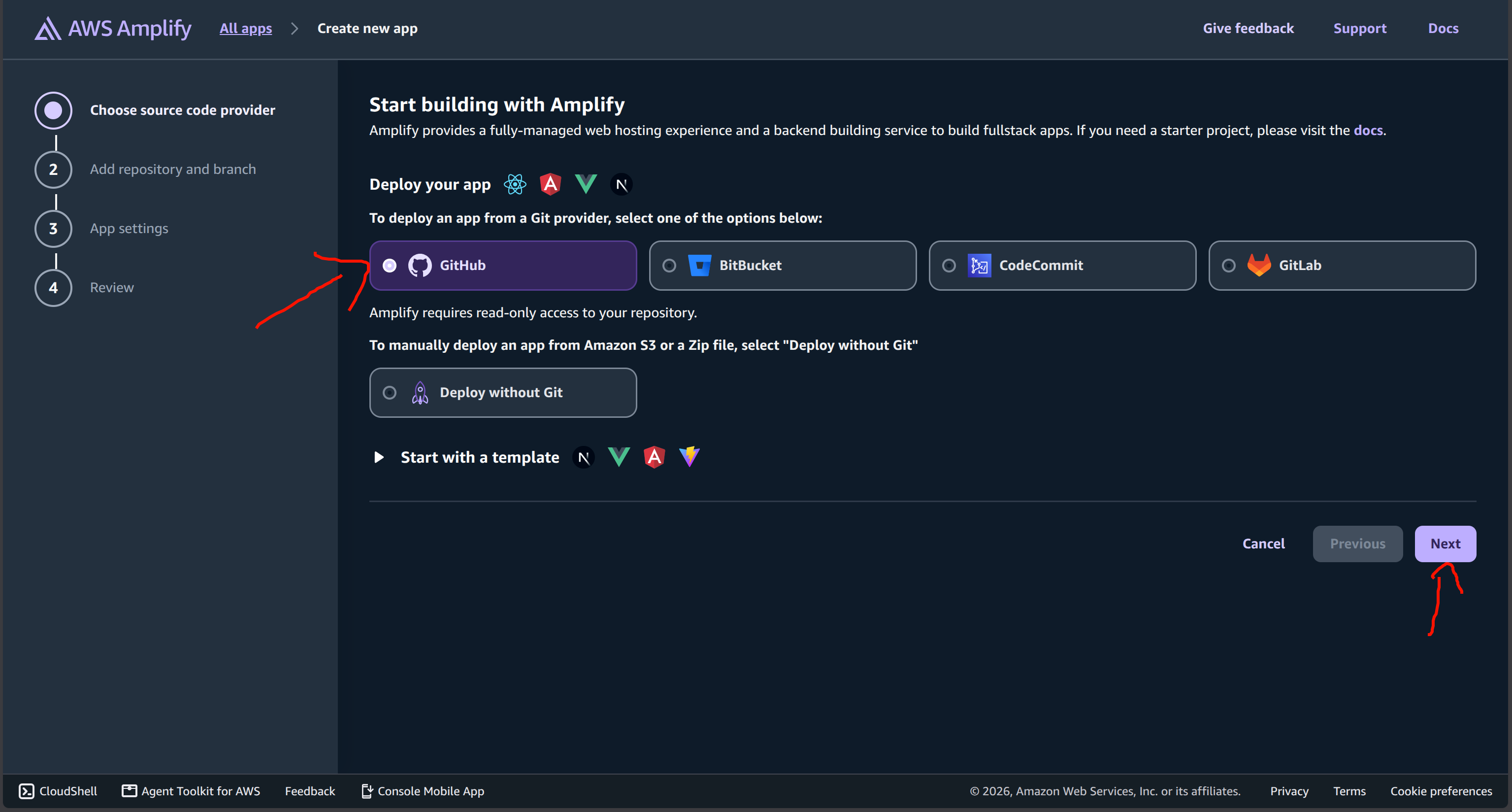
- Select Create new app.
- Select GitHub and grant authorization.
- Select your repository and the
mainbranch. Important Note: Make sure to check the box for Connecting a monorepo? Pick a folder and typefrontendin the text box below (because our project’s user interface code is located in this directory). Then click Next.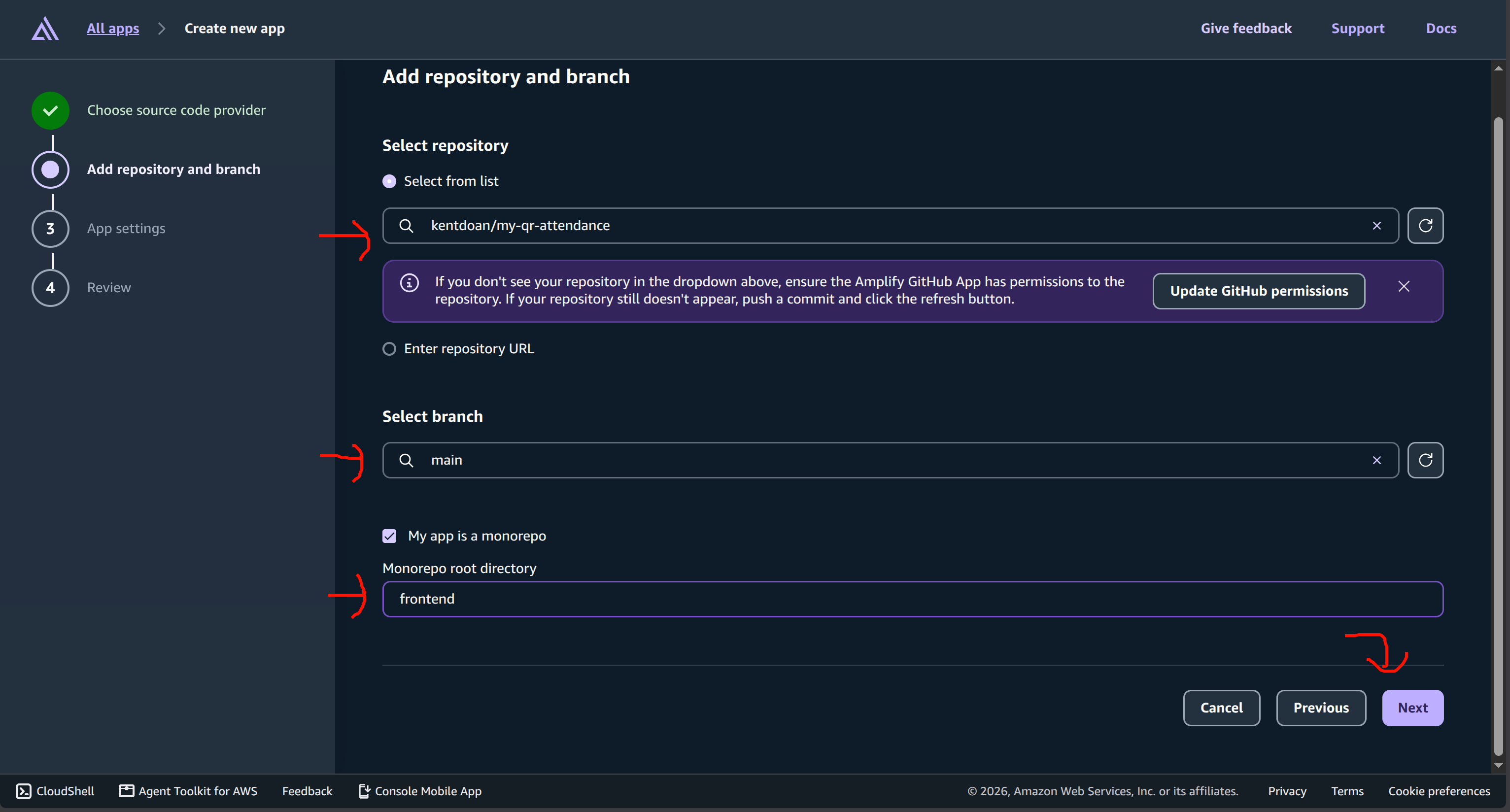
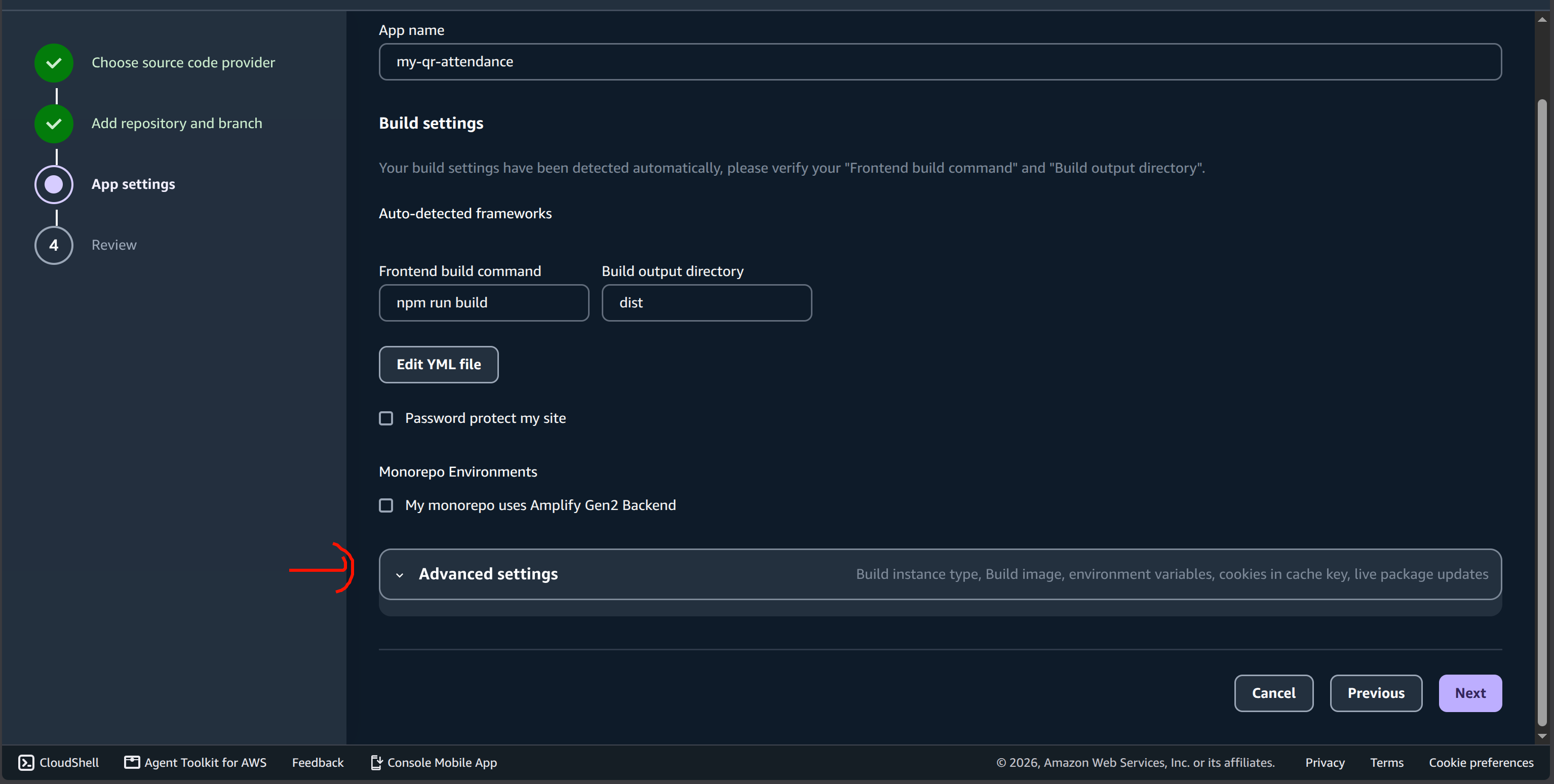
- On the App settings screen, expand the Advanced settings section.
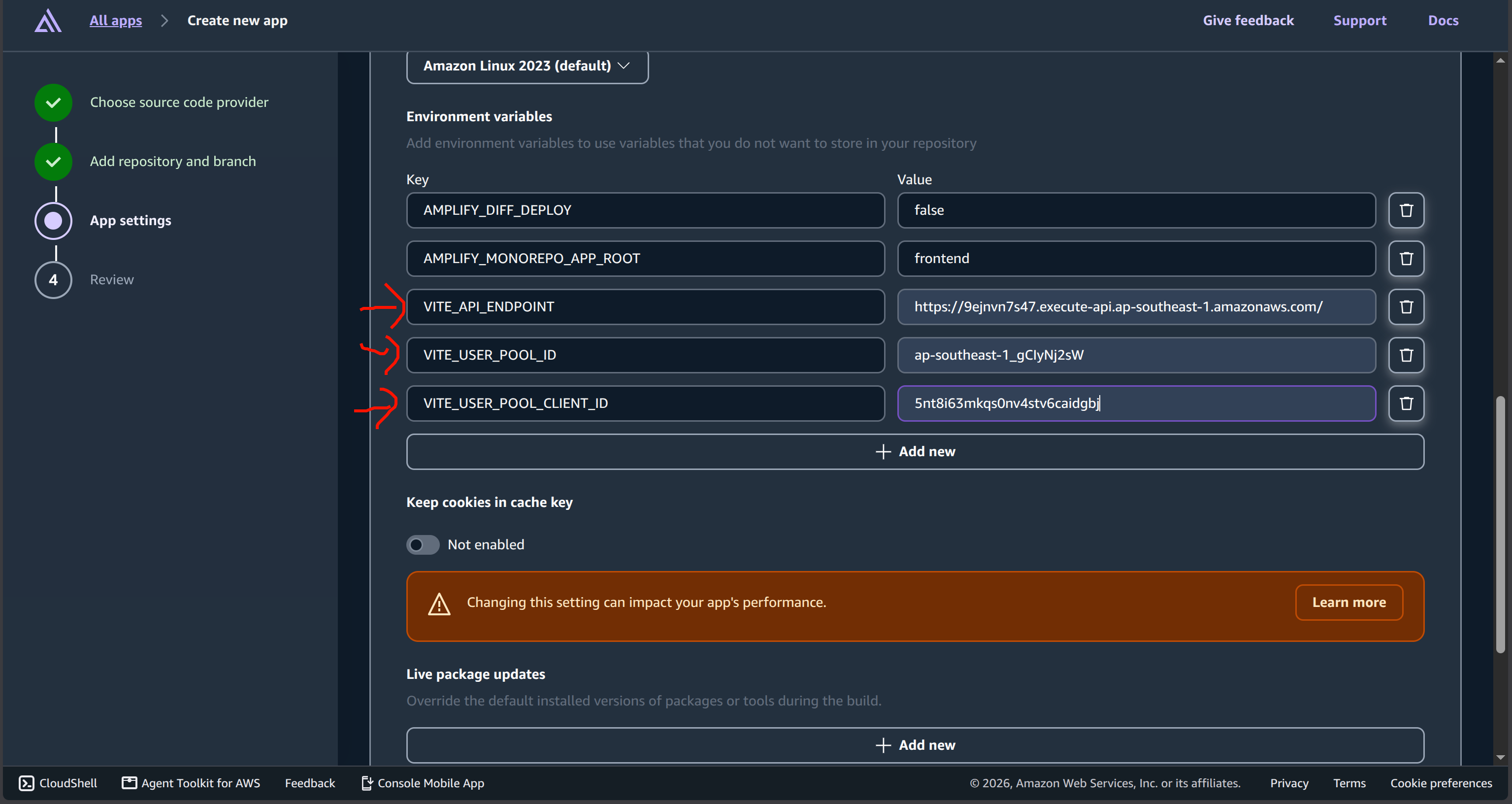
- Under Environment variables, click “Add variable” to add the 3 parameters you saved from the Backend Deployment section:
- Variable 1: Name =
VITE_API_ENDPOINT, Value =https://xxxx... - Variable 2: Name =
VITE_USER_POOL_ID, Value =ap-southeast-1_xxxx... - Variable 3: Name =
VITE_USER_POOL_CLIENT_ID, Value =xxxx...
- Variable 1: Name =
 7. Click Next and finally click Save and deploy.
3. Finish & Verify
The build process on Amplify takes about 2 minutes. Once completed, Amplify provides a free HTTPS link (e.g., https://main.xxxxxxxxx.amplifyapp.com).
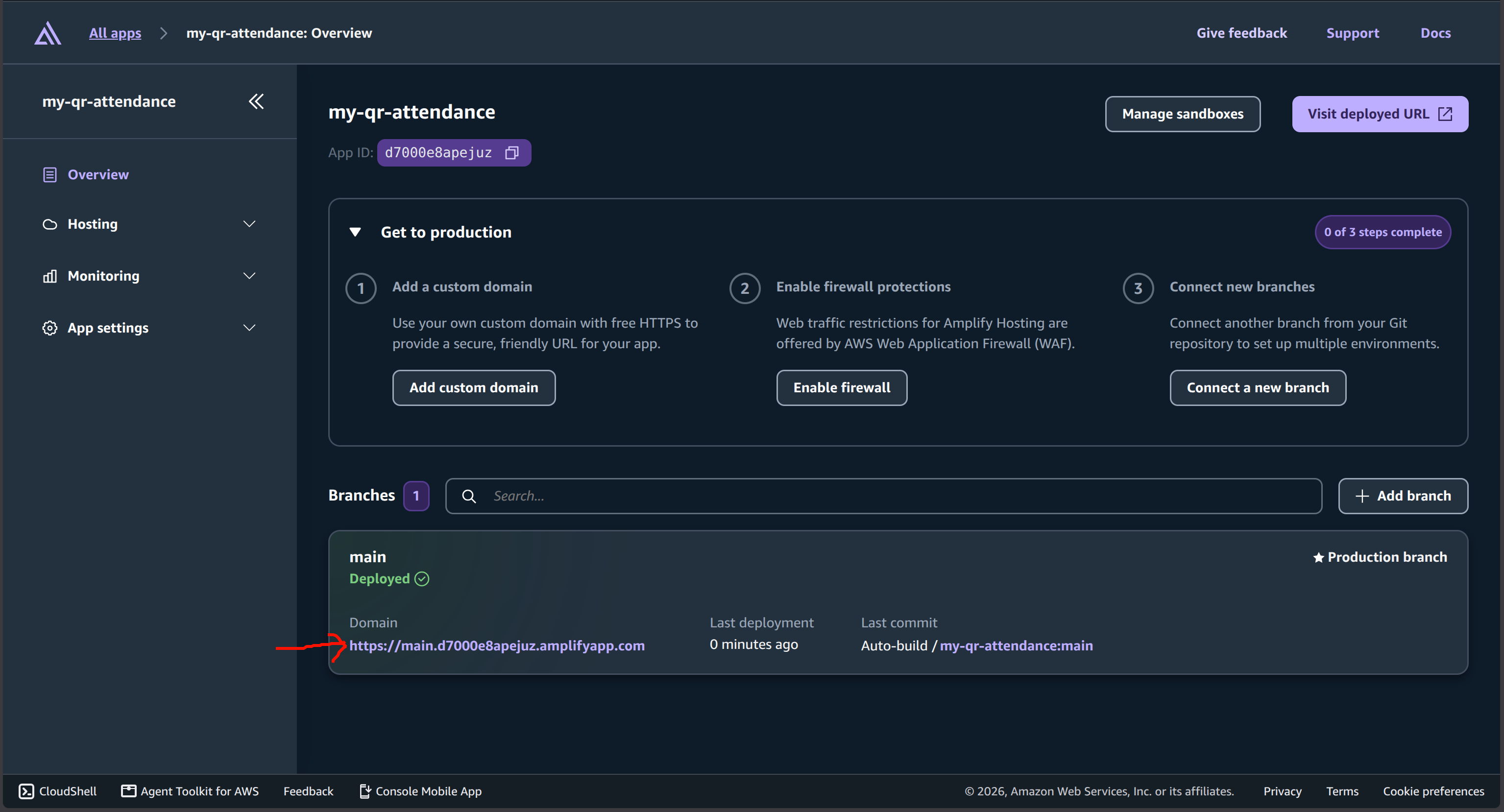
Click on that link, and you will see the BK-Sync Login interface!