Cleanup
1. Delete Frontend Hosting (AWS Amplify)
You should delete the frontend interface first.
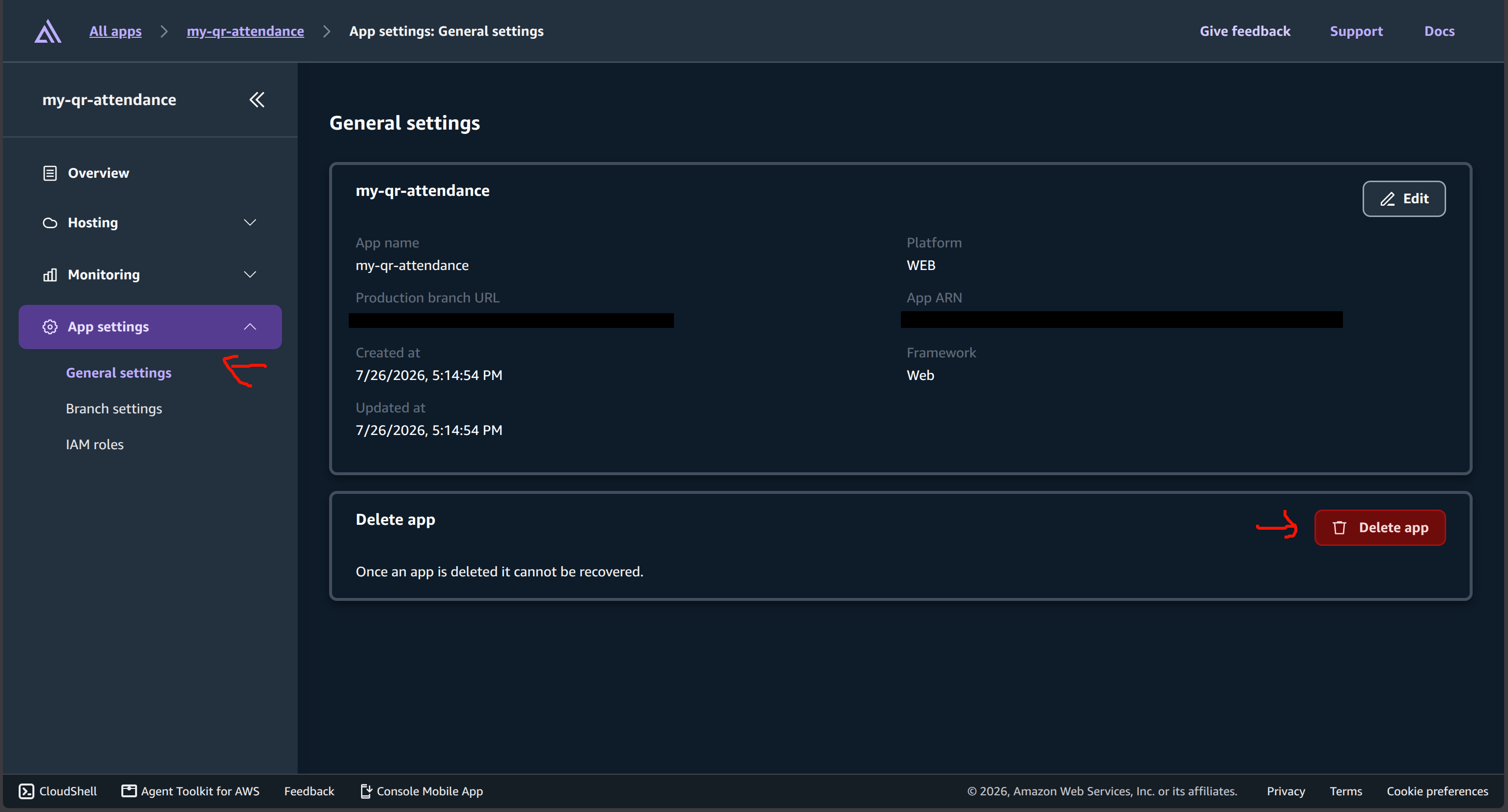
- Open AWS Console -> search for AWS Amplify.
- Select the BK-Sync app you created.
- In the side menu, click App settings -> General settings.
- Scroll to the bottom and click Delete app to delete it.
2. Delete Backend Infrastructure (AWS SAM)
To avoid being charged by AWS, you must remove all created Lambdas, API Gateways, DynamoDB tables, etc.
Method 1: Delete via CLI (Recommended)
Open Terminal (while in the backend directory) and run the command:
sam delete
Confirm with y for all questions. CloudFormation will automatically find and remove everything.
Method 2: Delete via Web Console (Fallback for errors)
Sometimes deleting via CLI fails (because AWS Secrets Manager locks the Secret with a 30-day protection window). If you encounter a DELETE_FAILED error for the HmacSecretV2 resource, do the following:
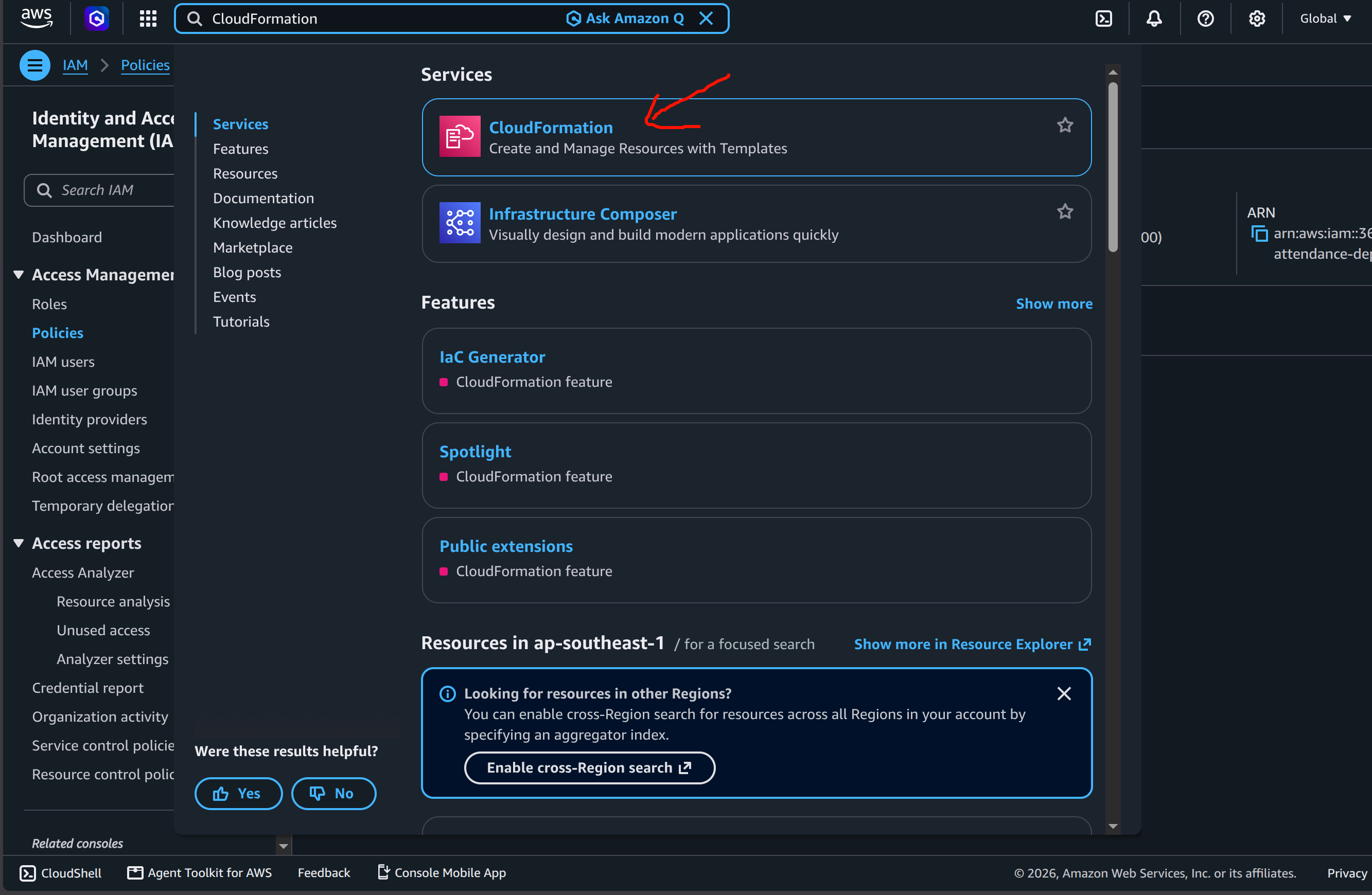
- Open AWS Console -> search for CloudFormation.
- Click on the
qr-attendance-backend-devstack, and select Delete (or Retry delete if it previously failed).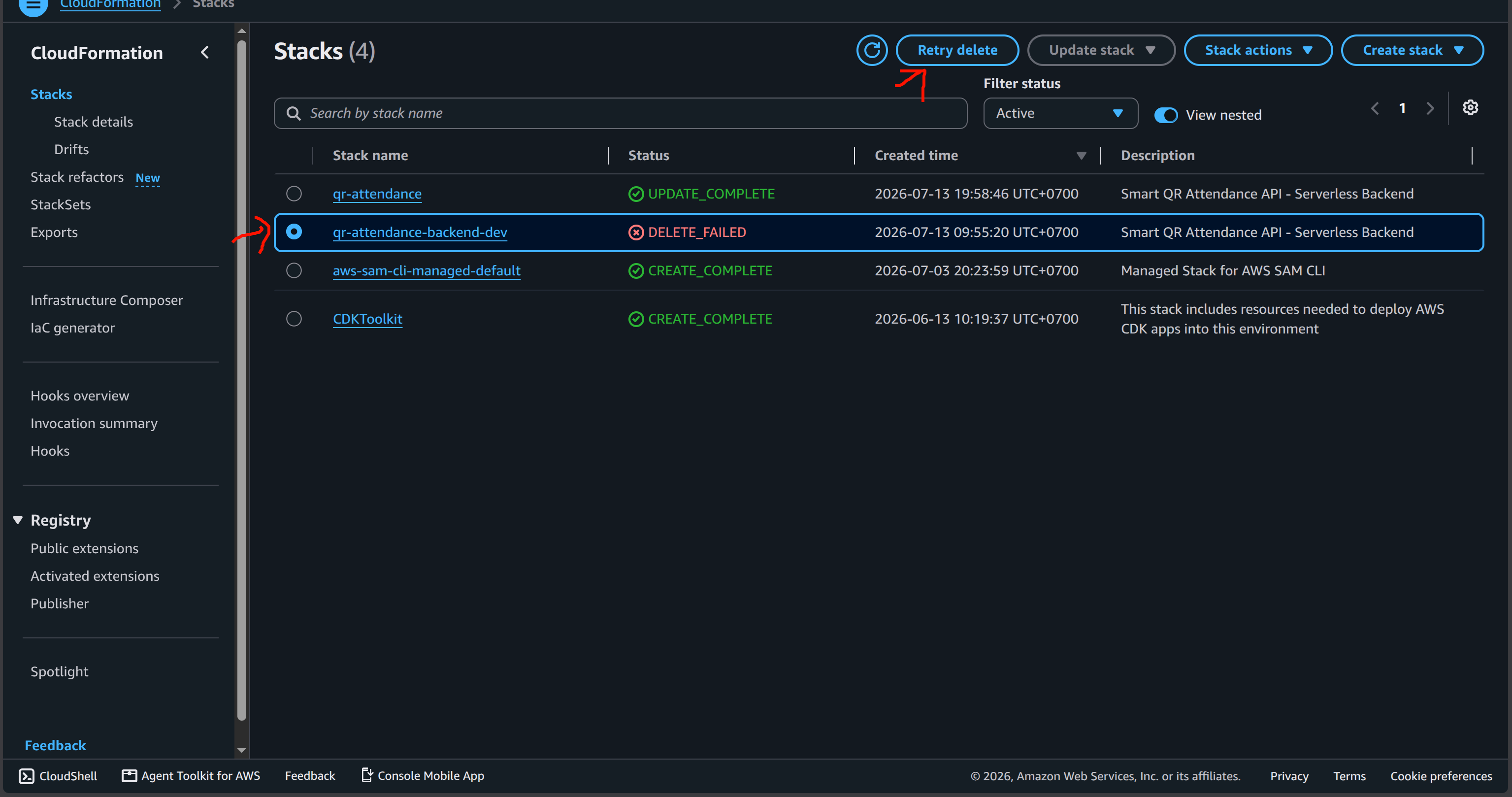
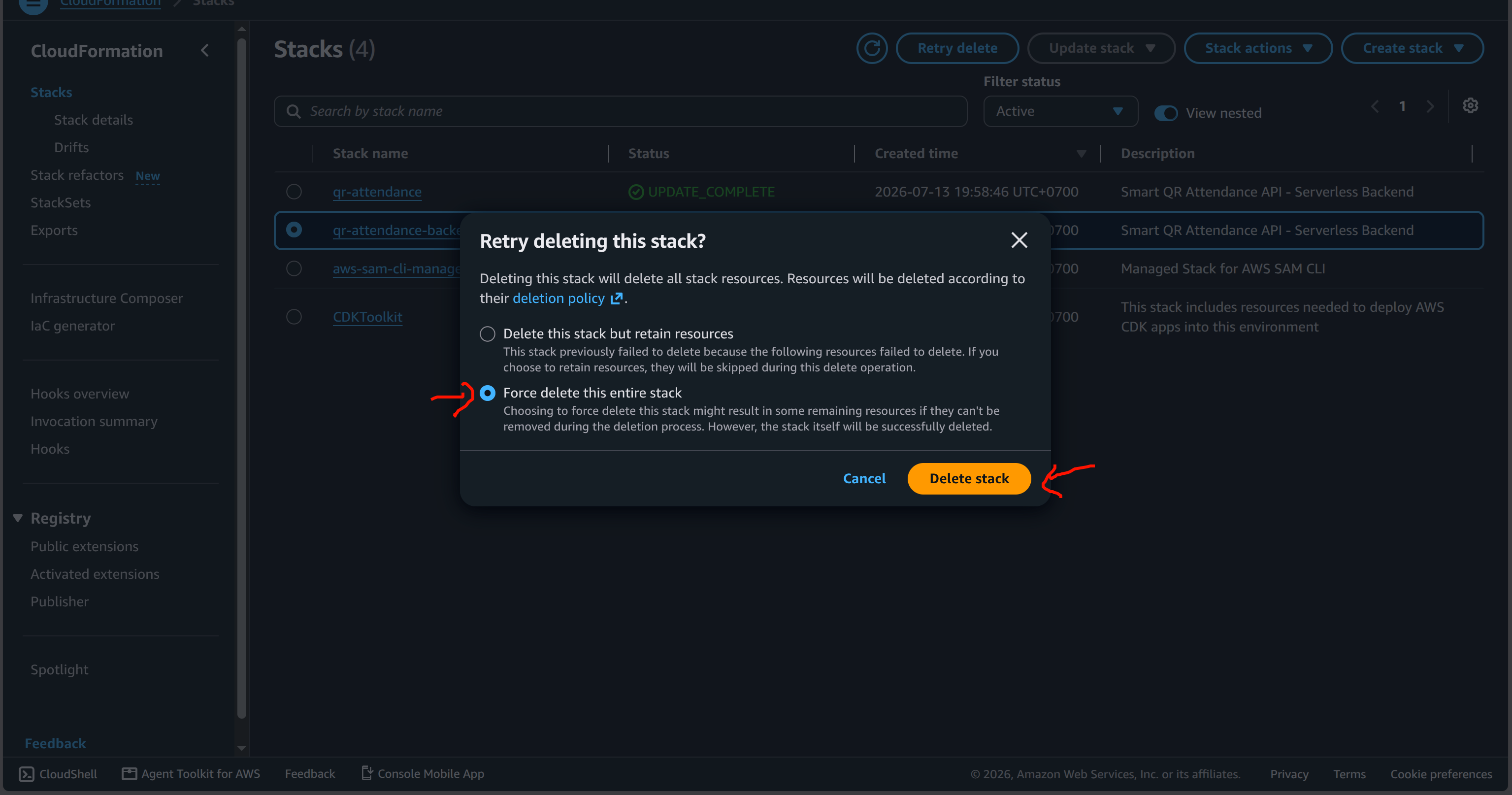
- A prompt will appear. Select Force delete this entire stack, then click Delete stack.
The system is now completely cleaned up!